ByJohn A
Building a Restaurant POS System: Order Taking, Billing, and Real-Time Kitchen Communication
| On This Page 1. The Problem: Paper Tickets and Disconnected Tills Cost Restaurants Money 2. What Is a Restaurant POS System, and How Does It Work? 3. Order Taking and Billing: The Front-of-House Flow 4. Real-Time Kitchen Communication: From POS to the Kitchen Display 5. Implementation Approach: How to Build It 6. Cost, Timeline, and Tech Stack 7. Real Case Study: Lampoo Commerce Platform 8. Best Practices and Common Pitfalls 9. FAQs |
It is a Friday-night dinner rush; a server scribbles an order, walks it to the kitchen, and a smudged modifier turns a nut-allergy ticket into a real problem, while two tables over a guest waits ten minutes just for the bill. The point-of-sale system is the nerve center of a restaurant, and when it runs on paper tickets and disconnected tills, every rush becomes a chance to lose money, time, and trust.
The question owners actually search for is practical: how do you build a POS that takes orders, bills accurately, and talks to the kitchen in real time? If you want that built as a real product around your menu and workflow, Acquaint Softtech’s software product development services build restaurant and food-tech platforms for clients across the USA, UK, Europe, UAE, and India.
As the Head of Business at Acquaint Softtech, I started as a developer and have spent more than ten years between engineering teams and operators whose margins live or die on speed and accuracy. We treat a POS as a real-time transaction system, not a digital cash drawer, because the moment it touches a card payment, it inherits serious responsibility. Any system that stores, processes, or transmits cardholder data must meet the Payment Card Industry Data Security Standard, per the PCI Security Standards Council. Designing for accuracy, speed, and compliance from the first sprint is the whole job.
This article explains what a POS system is, how it works, and how it connects orders, billing, and the kitchen in real time. It also helps you decide whether to buy a ready POS or build a custom one, with cost and technical insight. We have written it from delivery experience, with data-backed numbers and a verified case study you can check. The wider architecture picture lives in our complete guide to Travel and Hospitality Software Development.
The Problem: Paper Tickets and Disconnected Tills Cost Restaurants Money
The restaurant POS is the busiest decision point in the building, and when it relies on paper tickets and tills that do not talk to each other, errors and delays are guaranteed. The handwritten ticket is one of the biggest sources of error, waste, and miscommunication in a busy kitchen, and roughly 90% of consumers say they have received an incorrect food order at some point.
On margins that are often just 3% to 5%, every comp, re-fire, and walked guest comes straight off the bottom line. Teams that need to fix this quickly often add food-tech engineering capacity through staff augmentation rather than waiting on a long hire.
The main issue is system fragmentation where dine-in, online, and delivery orders run separately and cause sync and inventory errors. Modern cloud POS solves this with one real-time system, but the real challenge is handling multiple users and orders updating data at the same time without conflicts.
That discovery is where timelines slip, and it is the kind of risk experienced software development outsourcing removes by modelling the order and inventory states first. The POS is the operational backbone, and it deserves the same care as the systems described in our guide on hotel PMS development.
| Paper / fragmented POS | What goes wrong | Result |
| Handwritten tickets | Misread modifiers | Wrong orders, comps |
| Tills not synced | Inventory drifts | Selling sold-out dishes |
| Separate channels | Orders lost | Slow service, lost revenue |
What Is a Restaurant POS System, and How Does It Work?
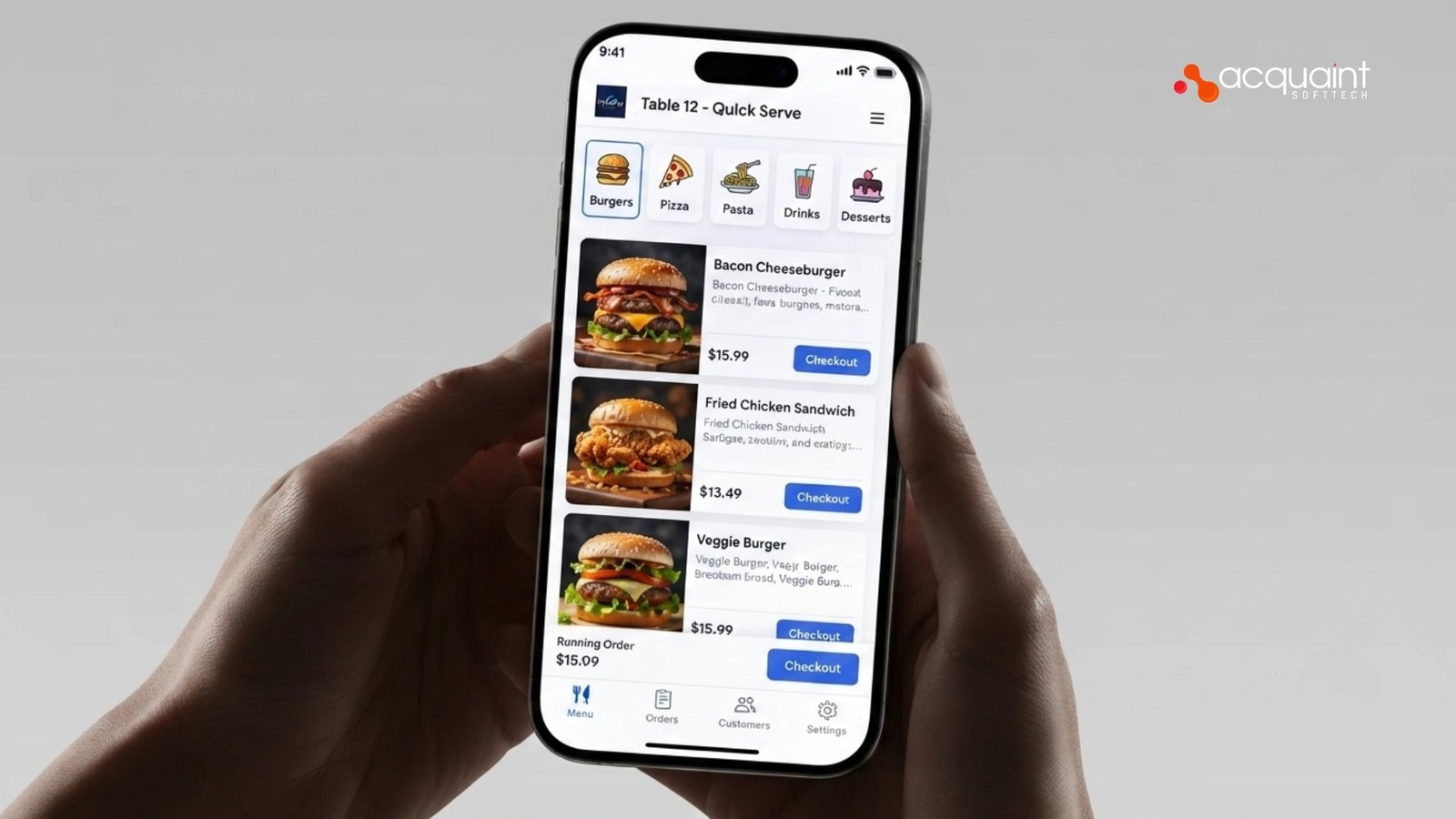
A restaurant POS system is the software that runs the whole transaction loop: taking orders, sending them to the kitchen, tracking inventory, and producing accurate bills and payments. It works as a real-time hub: an order entered on a terminal or handheld is fired instantly to a kitchen display, the inventory count drops, and the bill is built as items are added, so the front of house and back of house always see the same truth. For restaurants, it replaces the till, the paper ticket, and the manual stock sheet with one synchronized system. Building that hub correctly is core product work, which is why operators run it with dedicated software development teams rather than stitching together off-the-shelf parts.
The common misconception is that a POS is just a cash register with a screen. It is not. The value is the real-time coordination and the data behind it: order routing, modifiers and allergens, split bills, taxes and tips, inventory depletion, and the reporting that tells an owner what actually sells. A reliable, transaction-safe backend is what makes that trustworthy, which is why these systems are commonly built by teams who hire Laravel developers, drawing on Acquaint Softtech’s status as an Official Laravel Partner for the order and billing logic.
A modern POS also extends beyond the four walls. It pulls dine-in, website, QR-code, and delivery-app orders into one queue, supports loyalty and personalized offers, and feeds analytics that sharpen the menu and pricing. That guest-facing layer is where the POS connects to the wider experience, the same personalization discipline set out in our guide on building an AI-powered guest experience platform. Seen this way, the POS is both the operational engine and the source of the data a restaurant grows on.
Order Taking and Billing: The Front-of-House Flow
The front-of-house flow has two jobs that must be fast and accurate under pressure: capturing the order exactly and turning it into a correct bill and payment. Both are sequences of states: an order is opened, items and modifiers are added, the order is fired to the kitchen, then it is closed, billed, and paid, and the POS has to enforce that sequence so nothing is double-fired or mischarged.
Designing that flow to be quick for staff and safe under concurrency is the heart of the work, and the tablet and handheld apps for it are often built by teams who hire React Native developers to ship one ordering app across iOS and Android.
Order taking
Order taking captures items, quantities, modifiers, allergens, and course timing, ideally at the table on a handheld so the order fires the moment the guest confirms it. Tableside entry means the server never walks to a terminal or reprints a ticket because of a modifier error, so they move faster, turn tables quicker, and trigger fewer comps.
The order logic and validation behind this, preventing impossible combinations and handling splits and merges, is backend-heavy work, which is why teams hire Python developers to keep the rules correct and consistent.
Billing and payment
Billing builds the check in real time as items are added, then handles split bills, discounts, taxes, tips, and payment across card, mobile wallet, and QR, with the cardholder data handled to PCI standards. Accuracy here is everything, because a duplicate charge or an order that the system loses is the fastest way to lose a guest and a review. Real-time, full-stack handling like this is commonly built by teams who hire MERN stack developers to keep the order screen and the billing services on one stack.
Real-Time Kitchen Communication: From POS to the Kitchen Display
Real-time kitchen communication is what turns a confirmed order into food, and the modern way to do it is a kitchen display system rather than a printer. When an order is fired, the POS instantly routes each item to the right station screen, grill, fryer, cold line, bar, organized and color-coded by how long the ticket has been waiting.
This replaces the smudged, lost, or misread paper ticket and is one of the biggest single upgrades a kitchen can make. Keeping that link instant and reliable under load is an operations discipline, which is why a serious build will hire DevOps engineers to own real-time messaging, uptime, and offline fallback.
A good kitchen display does more than show tickets. It can prioritize by cook time so a well-done steak fires before a medium-rare one and the whole table is ready together, pace courses, signal when a dish is out so it is removed from the menu instantly, and bump completed items back to the server.
That coordination cuts re-fires, dishware waste, and the dreaded uneven table where one plate arrives cold. Building this real-time layer well is what teams hire MEAN stack developers for, to keep the kitchen screens and the order stream on one live foundation.
Reliability is non-negotiable here, because a restaurant cannot stop service when the internet hiccups. A modern POS runs cloud-first with a local database so terminals and kitchen screens keep working offline and sync the moment the connection returns, never losing an order. That resilient, structured backend is commonly built by teams who hire Django developers for a clean Python core that enforces order state even through an outage. The kitchen link is where a POS proves itself.
Implementation Approach: How to Build It
Implementation follows a clear sequence, and skipping the modelling step is what produces a POS that breaks during service. The build moves from mapping the real service workflow, to defining order and inventory states, to order taking and billing, to kitchen routing, to payment and channel integrations, to testing under rush-level load, then launch. The highest-leverage step is the first one, getting the states and edge cases right before any screen is drawn, which is exactly what a discovery workshop is designed to produce.
- Model orders and inventory: define the order lifecycle and inventory depletion as the single source of truth.
- Build order taking and billing: terminal and handheld entry, modifiers, splits, taxes, tips, and PCI-compliant payment.
- Connect the kitchen: route fired orders to station displays in real time, with offline fallback.
- Integrate channels: pull website, QR, and delivery-app orders into one queue and one inventory count.
- Test under load and launch: simulate a rush and a network outage, then launch in one location before rolling out.
The smart path is to launch narrow and prove it under real conditions. Ship order taking, billing, and kitchen routing for one location or one service type, test it against a simulated rush and an internet outage, then add channels, loyalty, and multi-location support. This phased build needs steady senior engineers rather than a crowd, so it is common to hire remote developers with real-time and payments experience to keep the order logic solid.
Coordination matters because a POS touches front-of-house staff, kitchen teams, payment providers, and delivery aggregators, and those hand-offs must be sequenced and tested together. A clear owner, a tested failure path for when a payment or network link drops, and training so staff trusts the system are what make a launch stick rather than stall mid-service. That orchestration is real project work, which is why teams hire project managers to own the rollout and the go-live checklist.
Cost, Timeline, and Tech Stack
A focused POS, order taking, billing, payment, and kitchen routing for one service model typically starts in the low tens of thousands of dollars and takes a few months. A full platform with multi-location support, delivery-aggregator integration, loyalty, inventory, and analytics runs higher and longer, with real-time reliability and payment integration driving most of the work. The biggest cost lever is the real-time order engine and integrations, not the screen design, so budget there honestly. Many operators control cost by using white label development services to ship a branded POS without staffing a full in-house team.
On the stack, a POS pairs a real-time backend with durable front-end clients and solid integrations. PHP with Laravel or Python powers the order and billing logic, a message layer pushes orders to kitchen screens instantly, a relational database holds the authoritative order and inventory state with a local cache for offline mode, and the clients run on tablets and handhelds. Aligning these choices with your roadmap is a classic virtual CTO services question, especially for a first custom build where reliability matters more than features.
Location is the other major cost factor. India-based engineering delivers the same quality at up to 40% lower cost than Western agencies, which matters most on a real-time build where senior time dominates the bill. Demand forecasting, smart inventory, and menu analytics layer on later, a natural fit for AI development services once the core POS is reliable. Spend the senior budget on the order engine and uptime, not cosmetic screens.
| Layer | Recommended tech | Role |
| Order/billing | Laravel / Python | Order state, bills, payment |
| Real-time | Message layer | Fire orders to kitchen |
| State store | Relational DB + cache | Source of truth, offline |
| Clients | Tablet / handheld | Front of house, kitchen |
| Build scope | India team | Western agency |
| Focused POS | Lower cost, weeks | Higher cost |
| Full multi-location | Up to 40% saving | Baseline |
Real Case Study: Lampoo Commerce Platform
Acquaint Softtech built the e-commerce platform for Lampoo, a second-hand luxury fashion marketplace in Milan, rebuilding the checkout flow, connecting the platform to a warehouse tool so inventory stayed correct, and adding alerts for low stock and order issues.
This is a Clutch-verified engagement rated 5.0 across quality, schedule, and cost, and although Lampoo is retail rather than a restaurant, the engineering is the same discipline a POS needs: a fast, accurate order-and-payment flow, real-time inventory, and stability when traffic spikes. The wider track record behind work like this, including restaurant technology stacks, is set out in our overview of why Acquaint Softtech is the right travel and hospitality development partner.
Read Also: Everything You Should Know Before Buying H7 LED Replacement Bulbs
Before, after, and the result
Before the build, checkout was slow and dropped carts were common, inventory drifted out of sync, and busy periods strained the platform. The team rebuilt the checkout into a clear step-by-step flow, connected the platform to the warehouse tool so stock counts stayed accurate, added alerts for low stock and order issues, and tested the system from both buyer and seller views before launch.
After launch, the platform was faster, dropped carts fell, and it handled high traffic during a major sale without slowing down- the retail equivalent of a POS holding steady through the dinner rush. Building reliable, transaction-and-inventory-heavy commerce like this is also where a partner that can hire WooCommerce developers for commerce-grade order and payment flows adds value.
| Outcome | Before | After |
| Order/checkout | Slow, dropped carts | Faster, step-by-step |
| Inventory | Drifted out of sync | Stayed correct, synced |
| Peak load | Strained during sales | Stable during major sale |
| Stock/order issues | Missed | Low-stock and order alerts |
The lesson maps directly onto this guide: whether the order is a luxury handbag or a table of entrees, the value is a fast, accurate order-and-payment flow, inventory that never lies, and a system that stays calm when volume spikes. That is the discipline behind every reliable POS, and it is what verified clients consistently highlight about working with the team.
Best Practices and Common Pitfalls
POS projects fail in predictable ways, so naming the pitfalls upfront is the cheapest insurance. The hardest problems are losing orders when the network drops, double-firing or double-charging under concurrency, inventory that drifts so sold-out dishes keep selling, and payment handling that is not truly PCI compliant.
Each is a known pattern with a known fix, provided the build treats the order and inventory state as a single source of truth and designs for offline from day one. Keeping that reliable as the menu and locations grow is exactly what software support and maintenance is for.
- Design for offline: run cloud-first with a local database so service never stops when the internet hiccups.
- Make orders concurrency-safe: use atomic operations so a lag spike or double-tap never creates a duplicate order or charge.
- Keep inventory honest: deplete stock in real time and remove sold-out items from every channel instantly.
- Treat payments as PCI scope: handle cardholder data to PCI DSS and prefer tokenized, point-to-point encrypted payment.
The overarching best practice is to build the order engine as a small, observable, well-tested service and resist piling on features before it is proven under a real rush. Add delivery aggregation, loyalty, and analytics one at a time, watching order accuracy and uptime rather than vanity metrics.
Because payment rules and integrations change, scheduled version upgrade services keep the POS aligned with each provider’s latest requirements, while a separate marketing or ordering website around it can be handled apart from the core, where teams hire WordPress developers rather than spending core engineering hours on it.
FAQs
How does a restaurant POS system work?
A restaurant POS system manages orders, payments, and kitchen operations from a single platform. Orders are sent instantly to the correct kitchen station while inventory updates in real time. Modern POS systems also unify dine-in, online, and delivery orders.
What is the implementation approach for a restaurant POS?
Start by designing order, inventory, and billing workflows. Build POS, payment processing, and kitchen display integrations with offline support. Test performance under peak loads before deploying location by location.
What are the best practices for building a POS?
Use a single source of truth for orders and inventory. Enable offline functionality to keep operations running during outages. Follow PCI DSS standards and update stock levels in real time.
What is a kitchen display system (KDS)?
A kitchen display system replaces paper tickets with digital order screens. Orders are automatically routed to the correct preparation station. KDS improves speed, accuracy, and kitchen workflow management.
Should a restaurant POS work offline?
Yes, offline functionality is essential for restaurant operations. Staff can continue taking orders and processing payments during internet outages. Data syncs automatically once connectivity is restored.
How much does it cost to build a restaurant POS system?
| Region | Cost |
| US | $20,000–$120,000+ |
| UK | £16,000–£95,000+ |
| Europe | €18,000–€110,000+ |